Site Guides
Updated · 7 min readAmazon Dark Mode in Safari: Product Images and Reviews
See how an Amazon product page can be darkened in Safari without recoloring product photos, variants, prices, ratings, or review signals.
Safari Dark Mode Field Notes
Practical guides, real-site compatibility notes, and technical explanations for making the web easier to read after dark—without pretending every website behaves the same.
Maintained from production Swift and JavaScript rendering code.
01 / Visual result
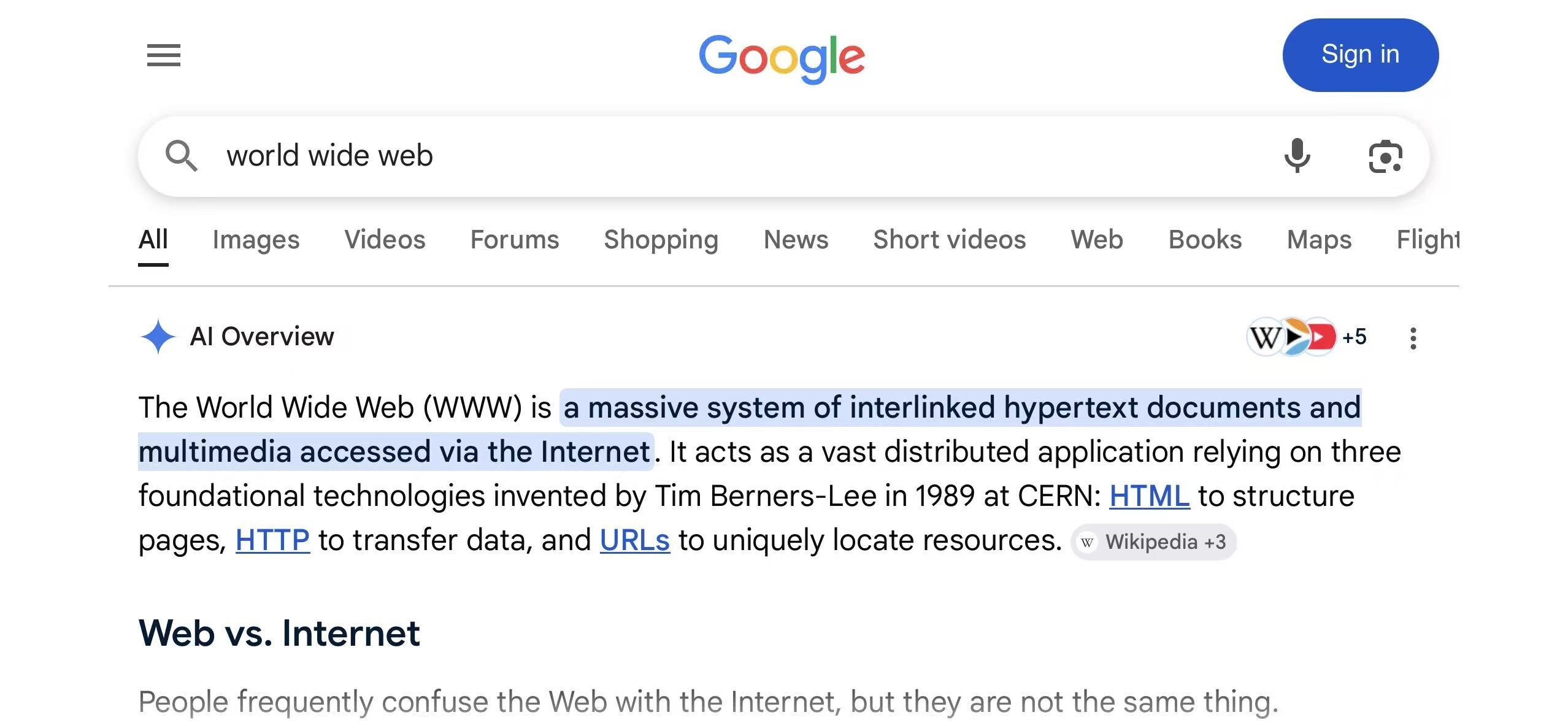
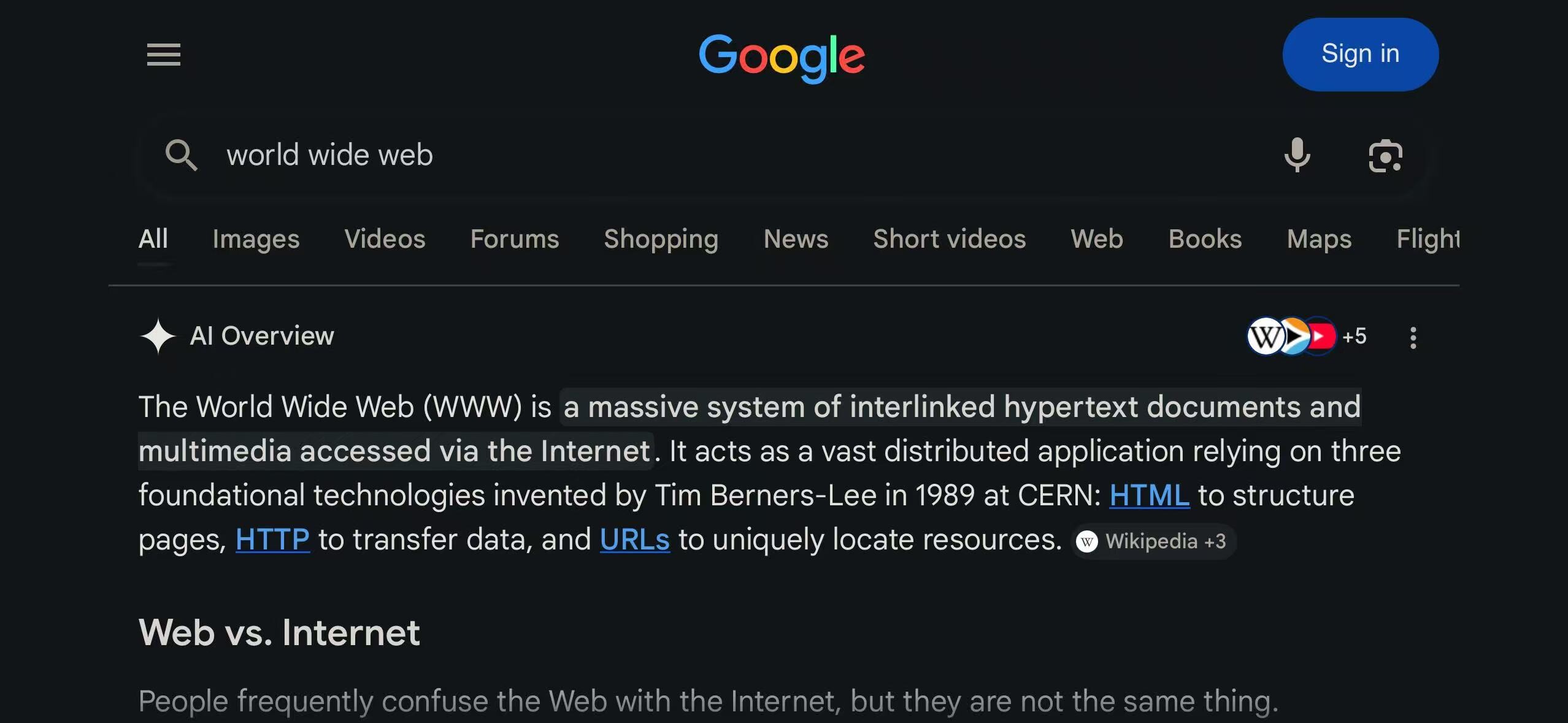
The same Google Search result before and after dark-mode rendering. The page keeps its hierarchy, branding, and controls while the surrounding color relationships change. Drag to compare.
02 / Knowledge map
Start with a task, a website, a theme decision, or the browser technology underneath it.
Plain-language Safari dark mode tutorials for iPhone and iPad, covering setup, website themes, extension access, customization, and troubleshooting.
3 articlesSite CompatibilityWebsite-specific Safari dark mode notes for iPhone and iPad, with real-page tests covering native themes, extension rendering, media, and controls.
5 articlesTheme DesignHow palette, contrast, OLED black, warm reading modes, and color temperature shape a usable dark theme.
6 articlesTechnical NotesEngineering notes on Safari dark mode extensions: Manifest V3 architecture, native theme detection, dynamic CSS rendering, and media protection.
7 articlesComparisonsEvidence-based comparisons of Safari dark mode apps and rendering approaches, covering architecture, themes, per-site controls, automation, and fit.
2 articles03 / Recently updated
Compatibility changes as Safari and websites change. These articles are designed to be revised.
See how an Amazon product page can be darkened in Safari without recoloring product photos, variants, prices, ratings, or review signals.
Use Google Search’s native dark theme in Safari, and see how result modules, images, menus, and live updates affect extension rendering.
Use Reddit’s Light, Dark, or Auto display mode in Safari, and understand how media, comments, overlays, and community styles affect extensions.
Learn where Wikipedia’s native dark mode lives on iPhone, how it differs from Safari Reader, and when a Safari extension is still useful.
Use YouTube’s native dark theme in Safari, understand when an extension should stand down, and see why video pages need special handling.
See how the Classic Midnight theme uses a cool near-black palette, preserves page hierarchy, and compares with Wikipedia’s native dark appearance.
Compare full-page CSS filters with dynamic dark themes across first paint, color roles, images, video, live CSS, performance, and failure modes.
Dark mode can reduce glare from a bright page at night, but evidence does not show that it prevents digital eye strain. Here is what helps.
Learn how a Safari app and web extension share global defaults and per-site settings through App Groups, native messaging, caching, and precedence.
See how a Safari extension combines color-scheme declarations, site hints, computed surface sampling, timing, and user overrides to detect native dark mode.
04 / Rendering notes
These are implementation details, not marketing categories. Each step maps to behavior in the production extension and its rendering engine.
The extension watches native color-scheme signals and site-specific detector hints. If a page already has a dark theme, the default behavior can stand down.
The dynamic engine reads colors, variables, gradients, backgrounds, text, and borders before it decides what should change.
Images are handled separately, while compatibility rules can exclude logos, video, controls, and other elements that should stay intact.
Explicit page lifecycle handling reconnects the extension after Safari navigation, page restoration, and back-forward cache events.