
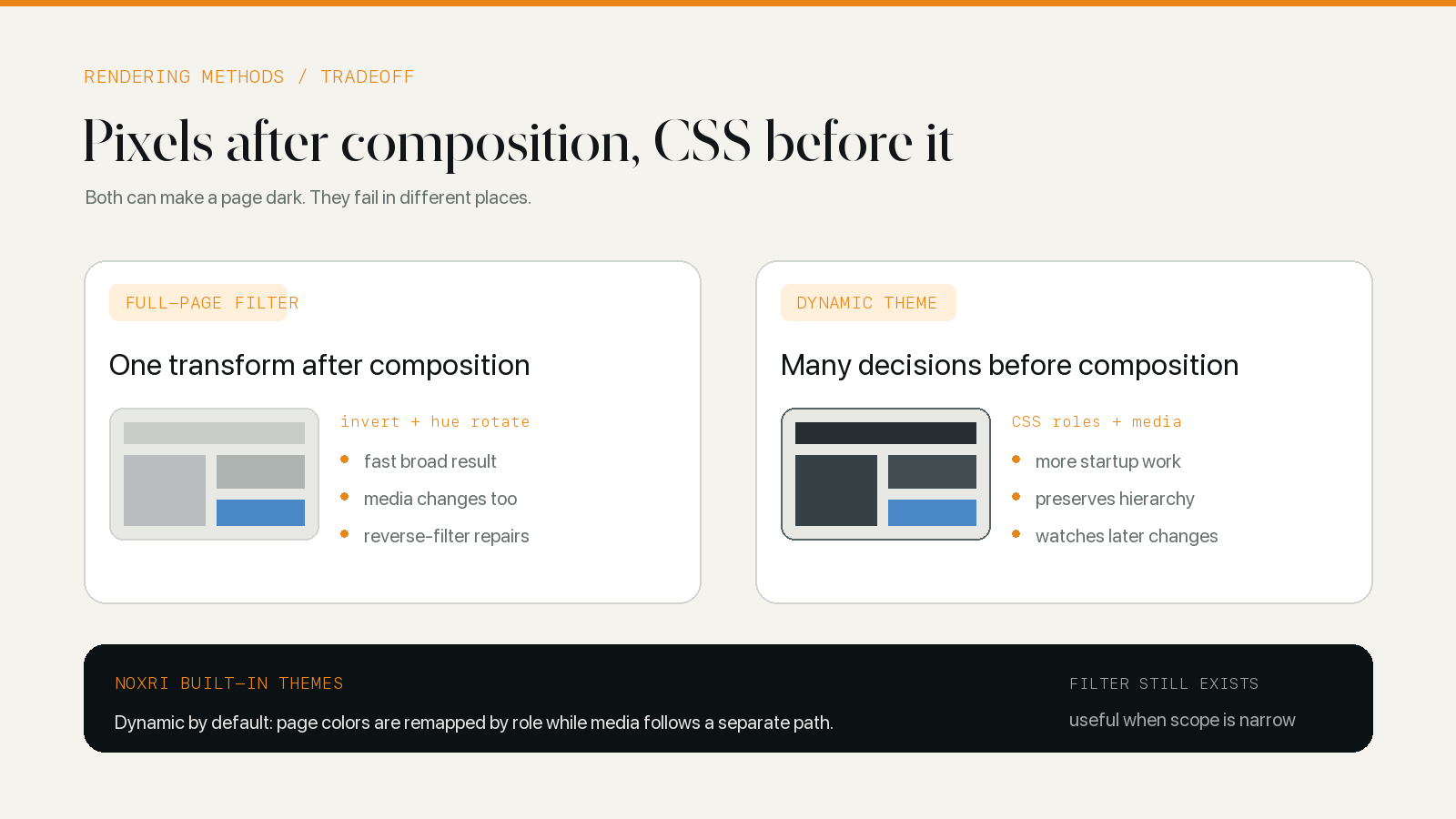
A full-page CSS filter darkens the composed page in one broad transform. A dynamic theme reads the source CSS and generates different replacements for backgrounds, text, borders, shadows, gradients, and selected images. The filter reaches a first result with less analysis; the dynamic renderer has more control over what should change and what should remain recognizable.
Neither method is universally superior. The useful question is where each one fails. Filters struggle when a page mixes interface colors with photographs, video, charts, and brand assets. Dynamic themes struggle when CSS is inaccessible, ambiguous, or changing faster than the renderer can classify it.
The difference appears before the first line of code
Suppose a product card contains a white panel, dark text, a blue link, a transparent black icon, and a photograph of a red shoe. A full-page filter sees one rectangle of final pixels. A dynamic renderer sees several CSS declarations, an image element, and a source color system.
That difference in input determines the rest of the design:
| Question | Full-page filter | Dynamic theme |
|---|---|---|
| What is transformed? | The composed visual subtree | Selected CSS declarations and media cases |
| First broad result | Usually earlier | Usually staged behind a fallback |
| Background and text | Pass through the same color matrix | Classified and mapped by role |
| Photos and video | Changed unless counter-filtered | Normally kept outside color remapping |
| New DOM content | Inherits the existing filter | Must be discovered and styled |
| New CSS rules | Automatically inside the filtered output | Must be parsed and added to overrides |
| Main failure | Content colors are changed with interface colors | The renderer misclassifies or cannot reach a source |
This is not merely an implementation-size comparison. The filter knows less about the page and therefore needs fewer decisions. The dynamic renderer knows more and takes responsibility for keeping that interpretation current.
A full-page filter transforms after composition
The familiar dark filter combines inversion with a half-turn of hue:
html {
	filter: invert(100%) hue-rotate(180deg);
}
Inversion moves bright channels toward dark and dark channels toward bright. The hue rotation brings many colors back toward their original family after that inversion. Brightness, contrast, grayscale, and sepia can be appended to the same filter chain.
The inherited rendering code still contains a complete CSS-filter engine. It builds the filter string from the selected theme parameters and applies it to the document root. It can also generate an SVG color-matrix form of the same idea.
The attraction is obvious. One leading rule affects text, cards, controls, icons, images, and content that arrives later. The engine does not need to parse every declaration before the page stops looking white. On a simple text document with almost no media, that economy can produce a respectable result.
Counter-filters repair the most visible damage
The same broad reach is the problem. A photograph, video frame, map, logo, and red error icon are inverted with the panel around them. A second invert(100%) hue-rotate(180deg) on selected descendants approximately cancels the first transform.
The filter engine therefore needs site rules with several kinds of exception. An INVERT list applies the reverse filter to media and other elements that should look original. NO INVERT removes a transform where nesting would otherwise produce the wrong result. Other entries can remove a background or add custom CSS. Full-screen elements also need the filter cleared so a full-screen video is not recolored.
These repairs work when the boundary is clean: a photo is one element inside a filtered card. They become fragile when one component mixes a background image, CSS icon, live canvas, text overlay, and nested player. Reversing the whole component restores the media but can also restore the bright interface surrounding it.
WebKit’s own dark mode guidance makes a similar scope distinction. It presents invert() as a possible tool for a specific image, while warning that broad filters over large content areas can carry color-accuracy, memory, and performance costs. Direct color styling gives the browser less composited material to filter and gives the author more control.
A dynamic theme works before the page is composed
A dynamic renderer begins with source rules such as:
.card {
	background: #ffffff;
	color: #202124;
	border: 1px solid #dadce0;
}
It classifies those values by their CSS role, maps them into the selected theme, and inserts an override sheet with the same selector. The background moves toward a dark surface, text toward a readable foreground, and the border into a quieter range between them. The photograph inside the card is handled separately.
The JavaScript rendering layer reviewed here is built on and adapted from Dark Reader’s open-source engine. The current built-in themes select its dynamic engine. That engine manages linked and inline style sheets, CSS variables, gradients, alpha colors, shadows, SVG presentation colors, inline styles, constructed sheets, and later mutations. How Dynamic Dark Mode Rendering Rewrites a Web Page follows that pipeline in detail.
Dynamic does not mean that the renderer redraws the page continuously. It maintains generated style sheets and updates the pieces whose source changed. Rule hashes, variable dependency records, color caches, mutation batching, and asynchronous queues keep the work narrower than rescanning every element after every DOM change.
The first frame is a compromise
The dynamic engine cannot generate precise overrides from a style sheet that has not loaded. It uses a fallback to establish an early dark surface, then replaces that broad layer as the page’s styles become available. This can still expose a brief transition on complex pages.
A filter has an advantage in time-to-broad-coverage because it needs less information. That does not guarantee lower total cost. A large filtered subtree can trigger compositing and memory work during scrolling and animation, while a dynamic engine spends more JavaScript time up front but leaves ordinary layout and media unfiltered after its CSS is ready.
The relevant measure depends on the page: first bright frame, time until text is stable, main-thread work, scrolling smoothness, route-change cost, memory, and recovery after Safari restores a tab. “Filter fast, dynamic slow” is too small a model for those tradeoffs.
Color hierarchy favors role-aware rendering
A useful dark page is not a white page with its luminance reversed. Its relationships still have to make sense. Primary text should outrank secondary text. A card should be visible against its parent without looking selected. A focus ring must remain visible. Warnings, destructive actions, and links should retain recognizable distinctions.
A filter preserves some relative brightness because nearby pixels pass through the same matrix. It cannot know whether a color is semantic. The same transform that moves a blue link also moves a blue product photograph and a blue data series.
A dynamic engine can map saturated foreground colors differently from neutral backgrounds and borders. It can keep a link blue while moving its lightness into a readable range, and it can leave the product photograph unchanged. The cost is classification risk: a pale decorative background may be mistaken for a surface, or a bitmap icon for content.
Theme choice remains a separate layer. Classic Midnight and Pure Black can use the same dynamic method while choosing different destination anchors. The Classic Midnight field test shows a neutral mapping that preserves Wikipedia’s notice, table grid, links, and text hierarchy without reducing them to two fixed colors.
Images and video expose the practical difference
Four examples reveal more than a page full of body text:
- A normal photograph should keep its colors.
- A black transparent menu icon may need to become lighter.
- A product image on transparency may look like the icon to a simple classifier, even though its color is meaningful.
- A canvas chart may contain both text-like labels and data colors with no editable CSS rule behind either.
The filter transforms all four and then relies on element-level cancellation. The dynamic renderer can leave ordinary media alone, recolor the CSS-driven icon, analyze a reduced image sample conservatively, and admit that the canvas may need a site rule or no transformation.
Neither path magically understands content. The dedicated explanation of image and video protection covers transparency, backgrounds, cross-origin loading, SVG, and the cases where preserving the original is safer.
Hybrid techniques are normal, not a contradiction
“Filter or dynamic” describes the primary page strategy, not a ban on using the other technique locally. A dynamic engine can apply a targeted filter to a monochrome image that has no editable CSS. It can use a broad fallback before precise overrides are ready. Site fixes can leave one element unchanged, invert one asset, or provide a small rule for a known component.
The governing principle is scope. A broad transform is reasonable when the content is simple and its side effects are known. A targeted transform is safer when the element’s role can be identified. Original media should win when color itself carries information.
That also explains why a filter engine can remain in a codebase whose product defaults are dynamic. It is another rendering tool, not the definition of the product’s normal page behavior.
Which method fits which job
A full-page filter fits a controlled page, an early prototype, a temporary preview, or a narrow surface where media distortion is acceptable and the fastest broad result matters most. Its implementation and explanation are compact; its exception list grows with page complexity.
A dynamic theme fits sustained browsing across articles, stores, video sites, dashboards, forms, and single-page applications where interface colors and content colors need different treatment. It asks more of the renderer and can still fail at closed, cross-origin, bitmap, or canvas boundaries.
For extension developers, the decision should come from a shared test set rather than a synthetic color grid. Use an article, store, video page, SVG-heavy documentation site, dashboard, form, and route-changing web app. Measure first paint and steady-state interaction. Check full-screen media, restored tabs, native dark mode, and the user’s escape route when the result is wrong.
The current implementation chooses dynamic rendering by default because it is meant to cross those page types. The surrounding architecture—permission, settings, native-theme detection, page lifecycle, and the native bridge—is documented in How Safari Dark Mode Extensions Work.