You triage your inbox in bed. You chase a Stripe receipt at 2am. You check one last thing from the investor thread before closing your eyes — and Gmail blasts 100% brightness into your retinas, because mail.google.com has no real dark mode in iPhone Safari. Google shipped a dark theme for Gmail on desktop and inside the native iOS app, but the web version on Safari has been stuck in eternal daylight for years.
"I don't want to install the Gmail app just to get dark mode. Why does the Gmail web page on my iPhone ignore every appearance setting I have?"
This guide fixes that. You'll get true dark mode on Gmail in iPhone Safari, and — as a bonus — the same one-time setup darkens Outlook Web, iCloud Mail, Yahoo Mail and any other webmail you open. HTML newsletters stay readable, image attachments keep their colors, and the whole thing takes two minutes.
Why Does Gmail Web Have No Dark Mode on iPhone?
Short answer: Google never built one for the mobile web surface. The company ships three Gmail experiences:
- Desktop Gmail (mail.google.com on macOS / Windows). Full dark theme available under Settings → Themes → Dark.
- Gmail native app on iOS and Android. Follows system appearance plus a manual toggle.
- Gmail web on iPhone Safari. Light only. The theme picker is hidden, and the mobile web layout ignores CSS media queries for
prefers-color-scheme: dark.
Google's official position is "use the app." That's fine — until your work account is logged into Safari for calendar reasons, your personal account sits in the Gmail app, and switching between them means logging in and out 14 times a day. Most heavy users end up with at least one Gmail account stuck on the web. And that one, on Safari, is permanently bright white.
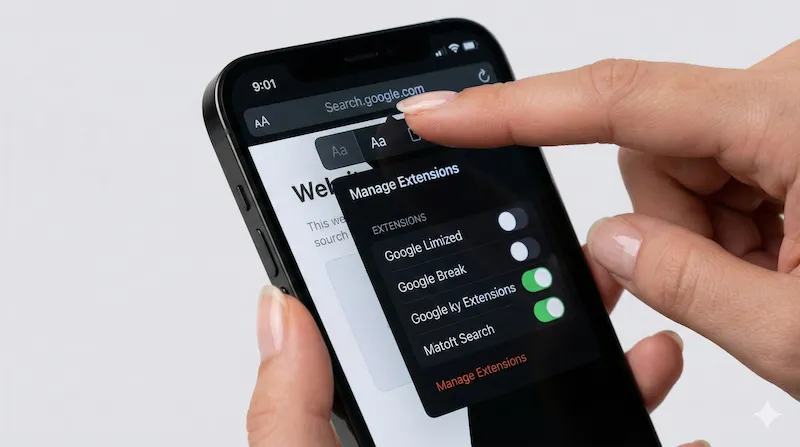
The 2-Minute Setup: Dark Gmail on Safari
Webmail Providers: Native Dark Mode vs Noxri
| Webmail Service | Native Mobile-Web Dark | Noxri in Safari |
|---|---|---|
| Gmail (mail.google.com) | No | Yes |
| Gmail HTML newsletters | — | Preserved, full color |
| Outlook.com (Outlook Live) | Partial, buggy | Yes, full UI |
| Outlook Office 365 (owa) | No on mobile web | Yes |
| iCloud Mail (icloud.com/mail) | Partial | Yes |
| Yahoo Mail (mail.yahoo.com) | No on iOS Safari | Yes |
| Fastmail web | Yes, account-level | Yes, plus logged-out pages |
| Proton Mail web | Yes | Yes, plus marketing pages |
| Webmail links (unsubscribe, invoices) | No | Yes |
HTML Emails: The Thing Most Extensions Get Wrong
Most brute-force "dark mode for any website" filters destroy HTML emails. A Stripe receipt with branded purple becomes gray-on-gray. An Amazon order email flips its orange button into a black-on-dark-gray smudge. A newsletter carefully designed with illustrations ends up with inverted product photos.
Noxri treats the email body differently from the Gmail chrome. The inbox list, sidebar, labels, search and compose window all get the dark theme. The email body — the <iframe> or scrollable HTML container Gmail renders each message into — is passed through untouched. Your newsletters look like they were meant to look. Only the surrounding Gmail UI is dark.
Outbound Links and Unsubscribe Pages
A huge share of mobile-email pain is not the inbox, it is what happens after you tap a link. Every marketing email routes through a tracking redirect (mail.google.com/url?... → campaign.example.com/unsubscribe). Gmail hands off to Safari, and that destination page is some random marketing CMS from 2014 with pure-white CSS. Because Noxri runs on every URL Safari opens, unsubscribe pages, invoice PDFs rendered in the browser, and the "view this email in your browser" fallback all open dark.
Privacy: What an Email Extension Should Not Do
This matters more for email than for any other site. Here is what Noxri does not touch:
- Does not read your messages. Only the DOM styles (background, color, border) are inspected, not the text content.
- Does not touch cookies or OAuth tokens. Safari Web Extensions cannot request permissions beyond CSS injection unless they declare it — and Noxri does not.
- Does not phone home. All theming happens on-device. No analytics, no telemetry, no "opt-in" feature flags.
- Reviewed by Apple. Every Safari Web Extension on the App Store goes through Apple's review, with extra scrutiny for ones that request access to sensitive sites.
Gmail Dark Mode on iPhone Safari: FAQ
References & Further Reading
-
[1] Apple Developer Documentation. "Creating a Safari Web Extension."
Apple Documentation → -
[2] Google Support. "Change Gmail's theme."
Gmail Help → -
[3] Microsoft Support. "Dark mode in Outlook on the web."
Microsoft Help →
Stop being flash-banged by your inbox.
Install Noxri and Gmail, Outlook, iCloud Mail and Yahoo Mail all render in comfortable dark mode on Safari — HTML emails intact.
Download Noxri from the App Store