AI chat has replaced search for millions of late-night iPhone users. You open ChatGPT on Safari, ask a question at 1am — and get flash-banged by a retina-white composer the moment the page loads. ChatGPT does ship a dark theme, but it is tied to your OpenAI login, resets in Private Browsing, and every shared conversation link you tap opens in aggressive light mode regardless of your preferences.
"I have dark mode enabled in ChatGPT's settings. Why does every link my coworker sends me open white?"
This guide walks through getting a real dark mode on ChatGPT in iPhone Safari — one that works whether you are logged in or out, whether the link is yours or someone else's, and that keeps code blocks perfectly readable. As a free bonus, the same setup darkens Claude.ai, Google Gemini, Perplexity, Poe, Mistral Le Chat and every other AI front-end you use.
ChatGPT Already Has a Dark Mode — So What Is the Problem?
OpenAI does ship a dark theme. If you tap your profile in the corner → Settings → Appearance → Dark, chatgpt.com swaps to a dark CSS bundle. Good enough? Not quite. Here is where it leaks:
- Login-gated. The preference is stored against your OpenAI account. Sign out, clear cookies, or open chatgpt.com in Private Browsing — it reverts to light.
- Shared conversation links are always light. URLs like
chatgpt.com/share/<id>are public. OpenAI renders them without reading any account preferences, so every "look at what ChatGPT said" link your friends send you opens white. - Mobile-web quirks. When a ChatGPT link opens from Messages, Slack or email, Safari sometimes ignores the cached preference until after the first paint — the dreaded white-flash-then-dark flicker.
- Each AI has its own switch. Claude, Gemini, Perplexity, Poe — every chatbot has its own settings page, its own "appearance" toggle, and none of them coordinate. Switching between tools means toggling dark mode four times.
A Safari-level extension solves all four problems at once. Dark mode is applied at the browser layer, so login state, tab origin and vendor-specific settings stop mattering.
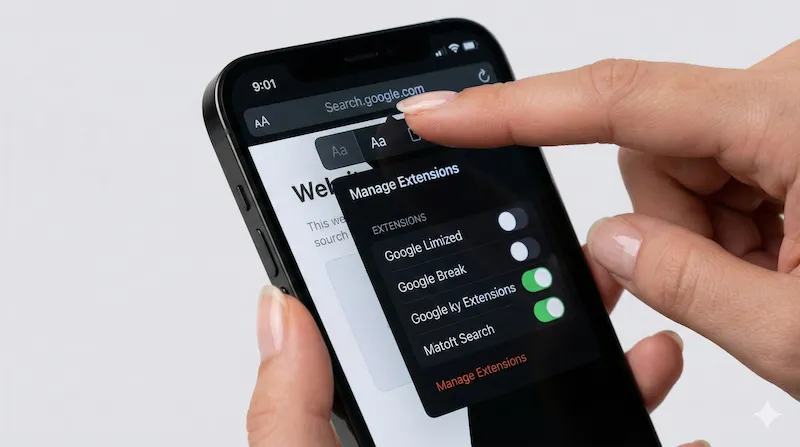
The 2-Minute Setup: Dark ChatGPT Everywhere
AI Chatbots: Who Ships Dark Mode and Who Breaks It?
| AI Chatbot | Native Dark Mode? | Noxri in Safari |
|---|---|---|
| ChatGPT (chatgpt.com) | Yes, login required | Yes, always |
| ChatGPT shared links (/share/…) | No — defaults light | Yes |
| Claude.ai | Yes, per-account setting | Yes, always |
| Claude shared conversations | No | Yes |
| Google Gemini (gemini.google.com) | Follows system theme | Yes |
| Perplexity AI | Yes, per-account | Yes, plus citation links |
| Poe (poe.com) | Yes, per-account | Yes |
| Mistral Le Chat | No | Yes |
| Custom GPT Store pages | Partial | Yes, full |
Code Blocks Stay Readable
Any AI chatbot lives or dies on code readability. A bad dark-mode filter flips syntax colors into unreadable mud: green comments on green background, blue keywords on black. Noxri's Smart Invert explicitly detects <pre> and <code> elements plus common highlighter class names (hljs, prism, shiki, react-syntax-highlighter) and leaves them untouched. The "Copy code" button, language label and scroll arrows keep their styling; the rest of the page turns dark around them.
Shared Conversation Links
This is the killer feature. ChatGPT share links are public snapshots — OpenAI renders them without your account, so no matter how many times you click "Dark" in your own settings, someone else's shared chat always opens white. Noxri runs on the URL origin, not the account, so every chatgpt.com/share/... and claude.ai/share/... link you click opens on true black.
ChatGPT in PWA ("Add to Home Screen") Mode
If you added ChatGPT to your iPhone Home Screen as a web app, the icon opens in a standalone WebView — not full Safari. In iOS 17.4+, Safari Web Extensions also run inside Home-Screen web apps, so Noxri follows you into the PWA view and keeps things dark there too. No separate configuration required.
Why Not Just Use the Official ChatGPT iOS App?
The native ChatGPT app on iOS has its own dark mode that works fine — for chatgpt.com. But you still hit Safari when:
- Following a citation link from Perplexity or the new ChatGPT Search results
- Opening a
/share/link from Messages or Slack (iOS often routes share URLs to Safari, not the app) - Comparing two chatbots side by side (no app covers Claude, Gemini and Perplexity)
- Using custom wrappers like Raycast, Arc Search's Browse-for-Me, or Kagi Assistant
A Safari extension catches all of these. The native app and the extension also coexist — install both and use whichever surface you prefer in the moment.
ChatGPT Dark Mode on iPhone Safari: FAQ
References & Further Reading
-
[1] Apple Developer Documentation. "Creating a Safari Web Extension."
Apple Documentation → -
[2] OpenAI Help Center. "Appearance and Theme Settings for ChatGPT."
OpenAI Help → -
[3] Anthropic Help Center. "Customizing Claude.ai Appearance."
Anthropic Support →
Dark mode every AI chatbot, in one tap.
Noxri darkens ChatGPT, Claude, Gemini, Perplexity and every shared conversation link — free, Safari-native, no account required.
Download Noxri from the App Store