It is one of the most frequently asked questions in the Apple ecosystem: Does turning on dark mode actually extend my battery life? For years, users have debated whether the sleek black interface is just a cosmetic preference or a legitimate power-saving hack.
"I always keep my iPhone on low power mode and dark mode because I hate carrying a power bank. But whenever I browse Safari, my battery drops 10% in twenty minutes." — An everyday iPhone user.
The short answer to the debate? Yes, absolutely. But only if your iPhone has an OLED screen, and only if you are utilizing True Black pixels. Let’s dive into the hardware science behind your screen and how you can maximize battery life using an iOS Safari dark mode extension.
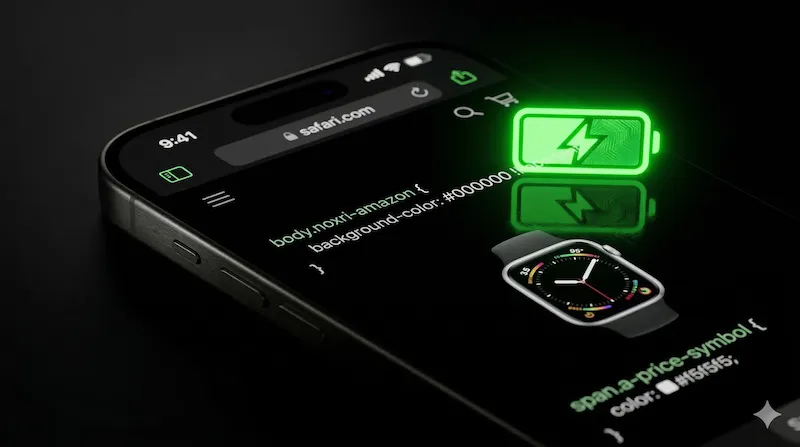
The Science: LCD vs. OLED Screens
To understand the battery-saving mechanics, we must first look at the hardware differences between Apple's display technologies.
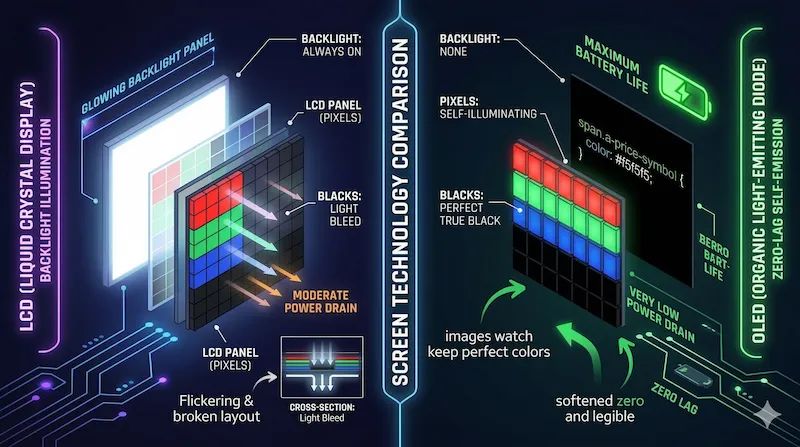
- LCD (Liquid Crystal Display): Found in older devices like the iPhone 8, iPhone 11, and current SE models. LCD screens rely on a universal backlight that stays on continuously. Whether the screen shows a bright white webpage or a solid black image, the backlight is completely illuminated. Dark mode on LCD does not save battery.
- OLED (Organic Light-Emitting Diode): Used in the iPhone X, 12, 13, 14, 15, and 16 series. The magic of OLED is that every single pixel emits its own light independently. There is no universal backlight.
The "True Black" Advantage
Because OLED pixels generate their own light, when a pixel is instructed to display "True Black" (hex code #000000), it completely turns off. It draws zero electricity. Therefore, the darker your screen is, the fewer pixels are drawing power from your lithium-ion battery.
How Much Battery Does Dark Mode Actually Save?
It is not just theoretical. Researchers at Purdue University conducted a comprehensive study measuring OLED battery consumption. The results proved that dark themes drastically reduce power draw, especially at higher brightness levels.
| Screen Brightness | Light Mode Power Drain | Dark Mode Power Drain | Battery Saved |
|---|---|---|---|
| 30% - 50% (Indoor Use) | Moderate | Low | 3% to 9% |
| 70% - 80% (Well-lit Room) | High | Moderate | 15% to 25% |
| 100% (Outdoor Sunlight) | Extreme | Low | 39% to 47% |
*Data aggregated based on Purdue University OLED power profiling studies.
The Safari Problem: Why System Dark Mode Isn't Enough
Here is the critical flaw in most users' setups: You turn on iOS System Dark Mode, watch your Settings app turn black, and assume you are saving battery. But then, you open Safari to read news or shop.
Unless the website developer has manually coded a "dark theme" for their site, Safari will load the website with a blazing white background. A white background requires every single OLED pixel on your screen to fire at maximum intensity. This instantly drains the battery you were trying to save.
How to Force True OLED Black on Safari
To truly reap the battery-saving benefits of your OLED screen while browsing the web, you need to force websites to adopt a dark background. This is exactly where the Noxri extension comes in.
Unlike generic dark reader extensions that use a "dark gray" overlay (which still requires the OLED pixels to stay on), Noxri is engineered specifically for Apple devices. It utilizes a highly optimized CSS injection engine to enforce True Black backgrounds on text-heavy websites, allowing vast sections of your iPhone screen to literally power down.
References & Further Reading
-
[1] Purdue University. (2021). "Dark mode may not save your phone’s battery life as much as you think, but there are a few silver linings."
View Study → -
[2] Apple Inc. "About the Super Retina display and Super Retina XDR display on your iPhone."
Apple Official Documentation →
Stop Draining Your OLED Battery
Download Noxri today to experience true black backgrounds on Amazon, YouTube, and millions of other sites, saving your battery instantly.
Get Noxri on the App Store