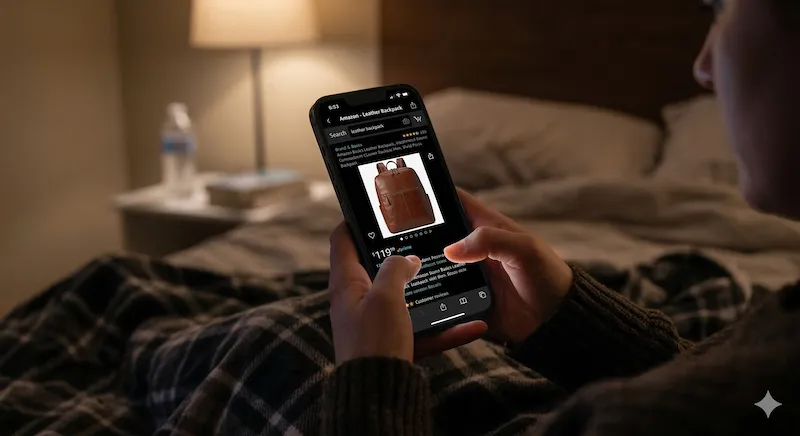
If you are a late-night shopper, you know the frustration. You are in a cozy, dark room, deciding on the perfect item on Amazon, when the glaring white mobile website attacks your eyes. It ruins your focus, drains your iPhone battery, and makes browsing unbearable.
"The biggest issue with late-night shopping isn't the credit card bill, it's the 100% white screen that blind me every time I want to compare product descriptions."
While the native Amazon app and some desktop extensions exist, a truly optimized Amazon dark mode on Safari iOS has remained elusive. In this detailed guide, we will provide a complete Noxri tutorial, explaining exactly how to stop the glare and stop eye strain during your next Amazon shopping spree.
Why Native Options Fail for Safari Users
Many users assume turning on the "Dark Mode" setting in their iPhone’s Control Center will solve the problem. It won't. This setting only changes the iOS user interface—menus, address bars, and keyboards turn black, but the webpage content is left untouched.
Furthermore, Amazon’s mobile website does not have a native dark theme toggle for Safari. They rely on the website being glared with a standard white layout. Generic desktop extensions ported to iOS often cause major flickering, break the product layout, or offer a frustratingly slow experience.
The True Black Requirement
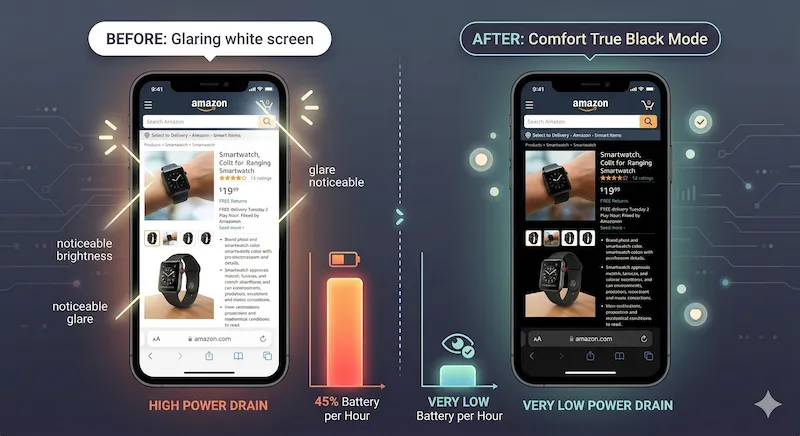
Modern iPhones use OLED displays, which illuminate each pixel independently. When a pixel is displaying True Black (hex #000000), it consumes zero electricity. Generic gray background extensions keep the pixels active, negating the battery saving benefits. For real battery extension and eye relief, you need an extension that forces True OLED Black.
Step-by-Step Guide: Forcing Dark Mode on Amazon
To finally enable a comfortable, optimized night time mode on Amazon, you need to leverage iOS Safari’s greatest feature: Web Extensions. Here is the easiest method:
Meet Noxia: The Best Amazon Safari Adaptation
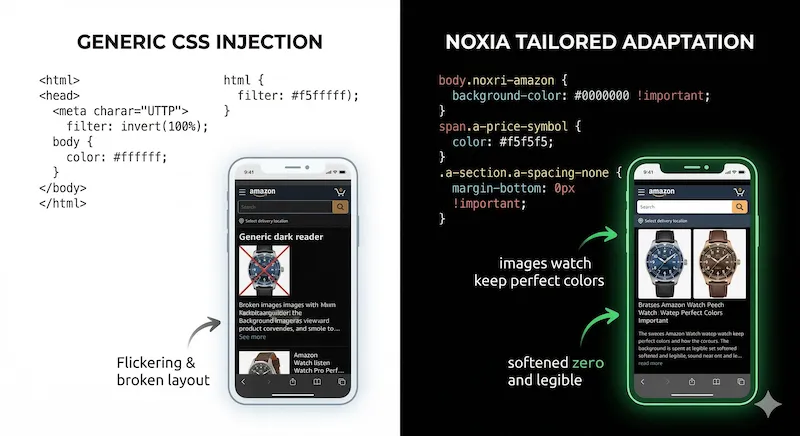
While generic color flip extensions cause major rendering issues on e-commerce sites, we built Noxia to understand the specific DOM (Document Object Model) of the Amazon mobile website. Let’s compare the options:
| Mode | Noxia (True Black) | System Invert Colors | Generic Desktop Ports |
|---|---|---|---|
| Eye Strain Reduction | Excellent (Tailored colors) | Harsh (Causes color bleed) | Good (Often causes lag) |
| Battery Saving (OLED) | Excellent (OLED True Black) | Excellent (True Black) | Modest (Uses gray backgrounds) |
| Product Images | Vibrant & Natural | Distorted (Alien colors) | Varies (Colors often broken) |
| Layout Flickering | Zero Lag (Native iOS) | N/A | High CPU causes stutter |
Optimized Product Images
Generic PC extension ports like Dark Reader use computationally heavy algorithms that cause scrolling stutter on e-commerce sites. They often fail to protect images, turning colorful clothes or watches into broken, weird inverses. Noxia’s smart image detection ensures product photos retain their natural colors while the background powers down.
Upgrade Your Shopping Experience Today
Don't settle for glaring screens. If you want a fast, lightweight, and optimized night time mode on Amazon, Wikipedia, YouTube, and millions of other sites, get the best dark mode extension on the App Store today.
References & Further Reading
-
[1] American Academy of Ophthalmology. "Computers, Digital Devices and Eye Strain."
Read Clinical Guidelines → -
[2] Apple Developer Documentation. "Creating a Safari Web Extension."
Apple Official Documentation →
Ready for True Night Mode on Amazon?
Join thousands of night owls who have already upgraded their Safari browsing experience.
Download Noxri from App Store